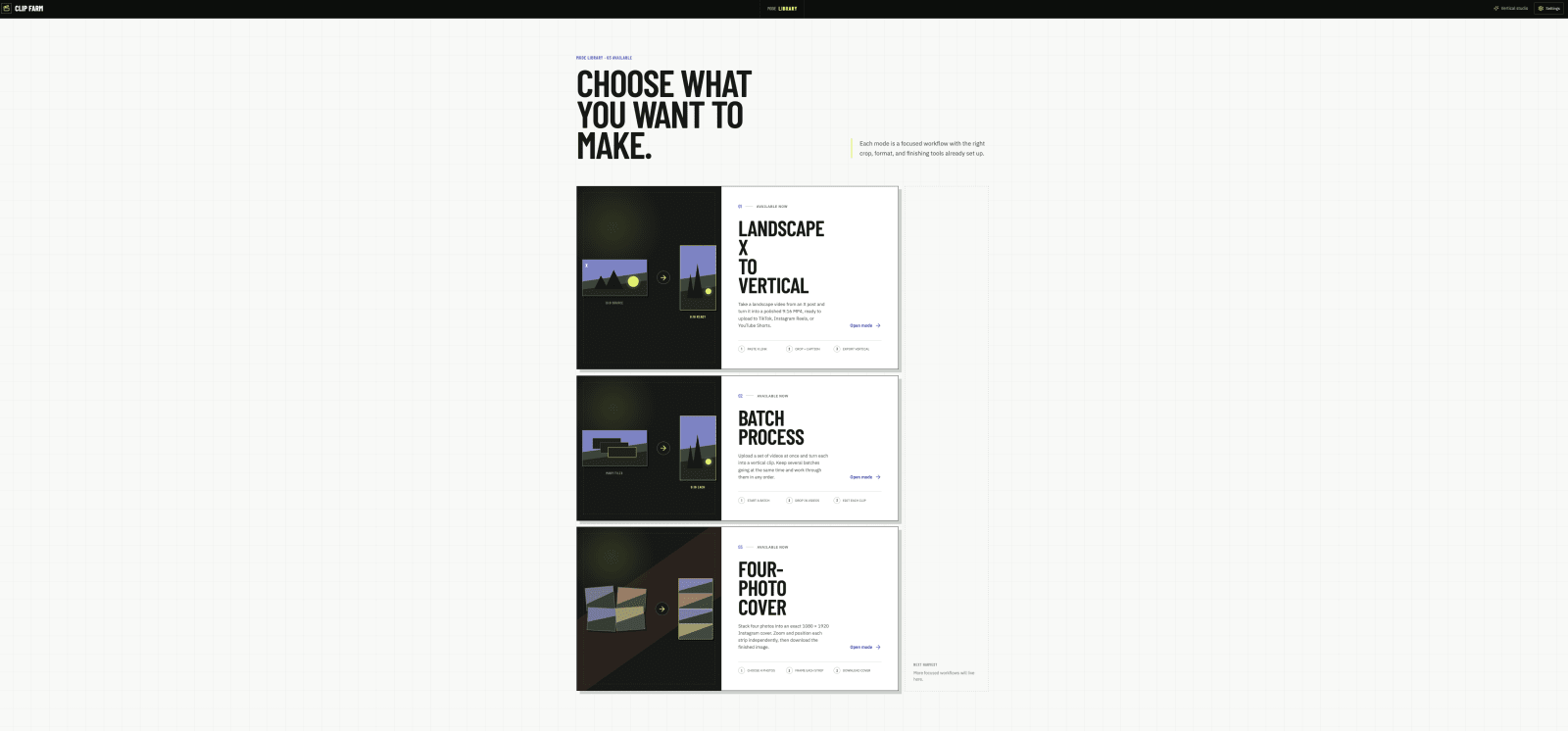
Video production workflow
Clip Farm
A video workflow that turns authorized landscape clips from X into captioned vertical media and publishes finished Reels through a secure backend.
- React
- TypeScript
- FastAPI
- Python
- FFmpeg
- Google Cloud Speech
Context
Repurposing one landscape video for a vertical feed often means moving between a downloader, editor, transcription tool, caption editor, and publishing dashboard. Clip Farm brings that path into one focused workspace for videos the user owns or has permission to reuse.
The product starts with an individual X post and ends with a validated 1080 × 1920 MP4. Between those points, the user can trim the clip, choose how it is reframed, edit timed captions, place image overlays, prepare post copy, and either download the result or publish it as an Instagram Reel.
What I built
I built Clip Farm as a polyglot application: a React and TypeScript editing interface backed by a Python API and background worker.
The editor provides two layout strategies. Smart Crop follows a likely on-screen subject while producing a 9:16 frame. Full Frame preserves the entire source over a blurred vertical background. Both modes share controls for trim points, caption style and placement, timed image overlays, previewing, rendering, and social-caption drafting.
The backend owns the expensive and sensitive work. FastAPI exposes project, render, account, and publication operations; Huey runs media imports, transcription, rendering, and Instagram publishing away from request-response lifetimes. SQLite records projects, jobs, artifacts, captions, renders, connected accounts, and publications. Docker and Railway configuration package the web build, API, worker, database, queue, and media storage as one deployable service.
How it works
Authorized X post
|
v
yt-dlp import -> FFprobe inspection -> preview + thumbnail
| |
+-> audio extraction -> speech-to-text -> editable captions
|
v
trim + layout + overlays
|
v
FFmpeg / subject-aware render pipeline
|
v
validated 1080 x 1920 MP4
/ \
download Instagram worker
|
signed media URL -> ReelDuring import, the worker downloads the media, captures the original post text, inspects its streams, creates lightweight preview assets, and extracts mono speech audio when present. Automatic captions retain word timing, then group words into short readable segments for the editor.
Short audio can go directly to Google Speech-to-Text. Longer media follows one of two explicit paths: a batch transcription through temporary Cloud Storage when a bucket is configured, or local 55-second audio chunks sent through the synchronous API. Temporary cloud objects are deleted after the batch job finishes.
Rendering composes the final clip from the saved edit state. Smart Crop samples faces, selects a likely subject, and smooths horizontal movement rather than snapping the frame between detections. The alternative layout scales the full source over a blurred fill. FFmpeg then adds ASS captions and time-bounded image overlays, encodes browser- and platform-friendly H.264/AAC output, and places metadata at the front of the file for faster playback.
Engineering decisions
Make long work observable. Imports, transcription, renders, and publications are background jobs with persisted status, progress, stage messages, attempts, and error details. The interface can report what the system is doing without holding an HTTP request open.
Treat output validity as a contract. A render is not marked complete until FFprobe confirms a 1080 × 1920 result. The worker also records duration, byte size, and a SHA-256 checksum, giving downstream operations a concrete artifact rather than an optimistic success flag.
Degrade by capability. A clip without audio remains editable. Missing speech credentials disable automatic captions without blocking the core video workflow. Long transcription can use cloud batch processing or local chunking depending on deployment configuration.
Keep platform credentials behind the API. Instagram access tokens are encrypted before SQLite persistence and are never returned to the browser. The worker refreshes long-lived credentials near expiration. Instagram receives a short-lived, HMAC-signed URL for the completed MP4; signature comparison is timing-safe, and the media response is private and non-cacheable.
Test boundaries where failures are costly. The suite covers caption timing and vertical safe areas, media overlays, transcription segmentation, X URL handling, project deletion, caption rewriting, Instagram OAuth and publishing, encrypted credentials, signed media URLs, and token refresh behavior.
What this demonstrates
Clip Farm shows product engineering across a demanding media pipeline: a responsive editing experience, asynchronous backend orchestration, computer-vision-assisted framing, speech APIs, FFmpeg composition, third-party OAuth, secure token storage, and deployment-aware file handling.
More importantly, it shows how I turn a chain of specialized tools into one coherent workflow while preserving user control at every creative decision.